Accounts, receipts, recurring bills and the month ahead.
Public website and household app, with German, French, Italian and English interfaces.
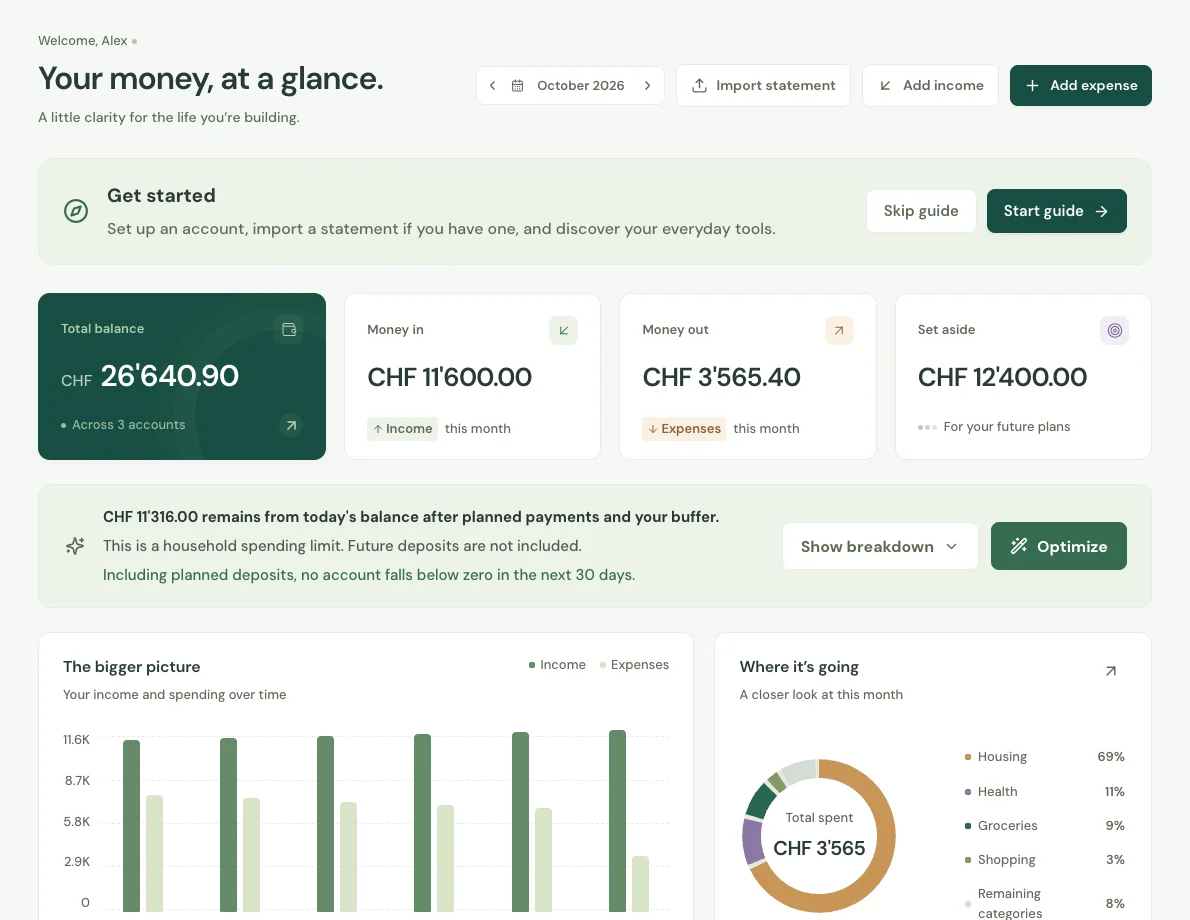
The real application interface with the public sample household. No personal financial data is shown.
Project overview
What it is.
Who it’s for
Individuals, couples and families who want to understand their household finances together.
Ausgaben.ch brings the money side of a household into one place: bank accounts, cash, credit cards, regular bills, everyday purchases and savings. We built it for Swiss households that need to see both where their money went and what will be left after the next round of payments. Each family has its own shared workspace, with separate logins and interfaces in German, French, Italian and English.
Accounts, transfers and a searchable transaction history
Shared households with budgets, savings goals and reserved funds
Recurring payments, monthly exceptions and balance projections
Receipt scanning and bank statement imports
Swiss planning tools and an encrypted financial vault
Members work with the same accounts, transactions, budgets and goals, using their own logins. The owner manages invitations and access. A person can switch between separate family workspaces without mixing their records. Removing a member preserves the household’s financial history while ending that person’s access.
Know what is available to spend.
Income, expenses, transfers and fees feed the account balances. Monthly budgets show spending by category, while savings goals and reserved accounts separate money already set aside. Weekly, monthly and annual schedules track repeat payments. A skipped month stays visible in the history without counting towards the balance.
Look beyond this month.
Projections cover three, six, twelve or twenty-four months, using recorded future transactions and recurring payments. Households can inspect an individual account or their combined balance and try extra income or spending in a temporary scenario. Swiss planning tools cover situations such as annual bills, moving costs, taxes and health insurance.
Review the records before saving.
Receipt text is read on the device, with uncertain amounts left for review. Bank statement imports provide another way to bring transactions in. Financial records are encrypted in the browser before upload. Search, calculations and exports run against the unlocked household data. Recording a transfer tracks a payment; it does not send money through a bank.
How it works.
01
Set up the household
Add accounts and starting balances, invite family members, and record income and regular bills.
02
Keep it current
Review receipt drafts or imported transactions, categorise spending and record transfers between accounts.
03
Plan the next decision
Check available cash, upcoming payments and projections before changing a budget or setting money aside.