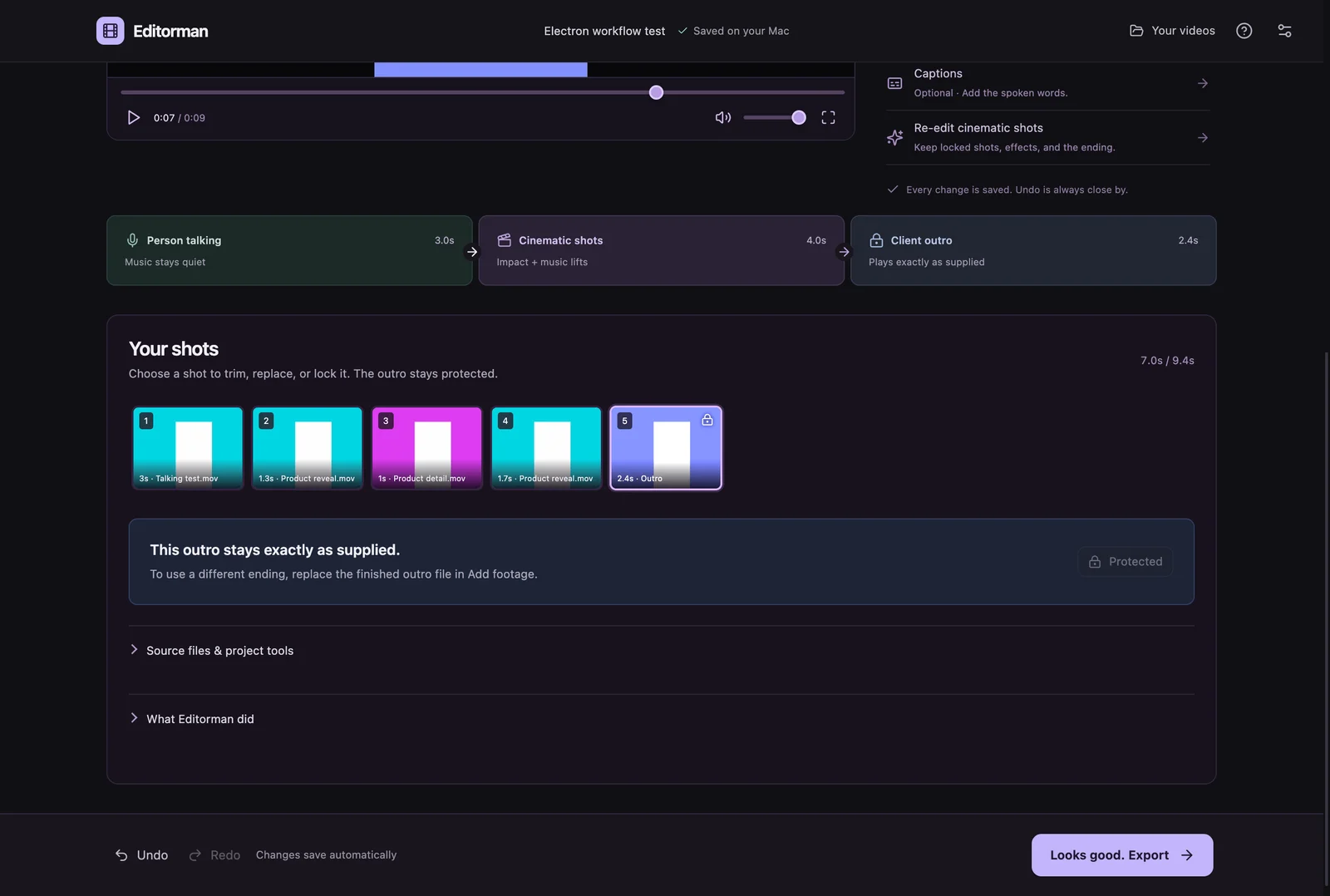
Give it your footage. Review the edit. Keep control of every shot.
Working macOS app. Public signing and distribution are still being prepared.
The actual Mac app with synthetic test footage. Personal client footage is not included.
Project overview
What it is.
Who it’s for
Editors making repeatable client videos from supplied talking footage, B-roll, music and finished outros.
Editorman is a Mac video editor that starts with a client and a folder of footage. We built a guided path from choosing the client to reviewing and exporting an assembled video. Local models help analyse and choose the supplied shots, while client rules define the structure. The material comes from the editor: the app selects and arranges footage rather than generating it.
Folder imports with talking footage, B-roll, music and outro categories
Reusable client pacing, music and ending preferences
Local shot analysis and a model-free quick draft
Shot replacement, trimming, framing, captions and undo
Rendered previews, MP4 exports and portable project copies
ElectronSwiftMLXAVFoundation
What it does.
Start with the client’s usual format.
Saved client settings carry pacing, music and outro choices into the next video. Footage folders have explicit categories, so the app can work within a known sequence. Editors can choose the talking take, trim its speaking range and select vertical, square or wide output before assembly.
Assistance inside an editable structure.
The local models analyse source footage and select shots within the chosen workflow. A quick draft can use footage order and timing rules without running those models. After assembly, editors can replace or reorder shots, split them, adjust framing and lock choices they want to keep.
Treat the ending as finished work.
A supplied client outro keeps its full picture, duration and original audio. Music, captions and other effects stop before it. Storing a copy in the client preset makes the ending reusable, while existing projects retain their own saved version instead of changing whenever the client default changes.
Review the video that will be exported.
Preview is a rendered video with the actual mix and effects. Editing a shot makes that preview out of date; preparing it again renders the changes. A current full-resolution preview can be reused for export. Projects save locally, and a portable copy can include the media needed to reopen them elsewhere.
How it works.
01
Choose the client and footage
Load a client preset, classify the source folders and choose the talking take, music, format and ending.
02
Assemble and review
Create an assisted edit or quick draft, then watch it and adjust individual shots, sound and captions.
03
Render and deliver
Prepare the current preview and save the finished MP4. Keep the local project for later revisions.