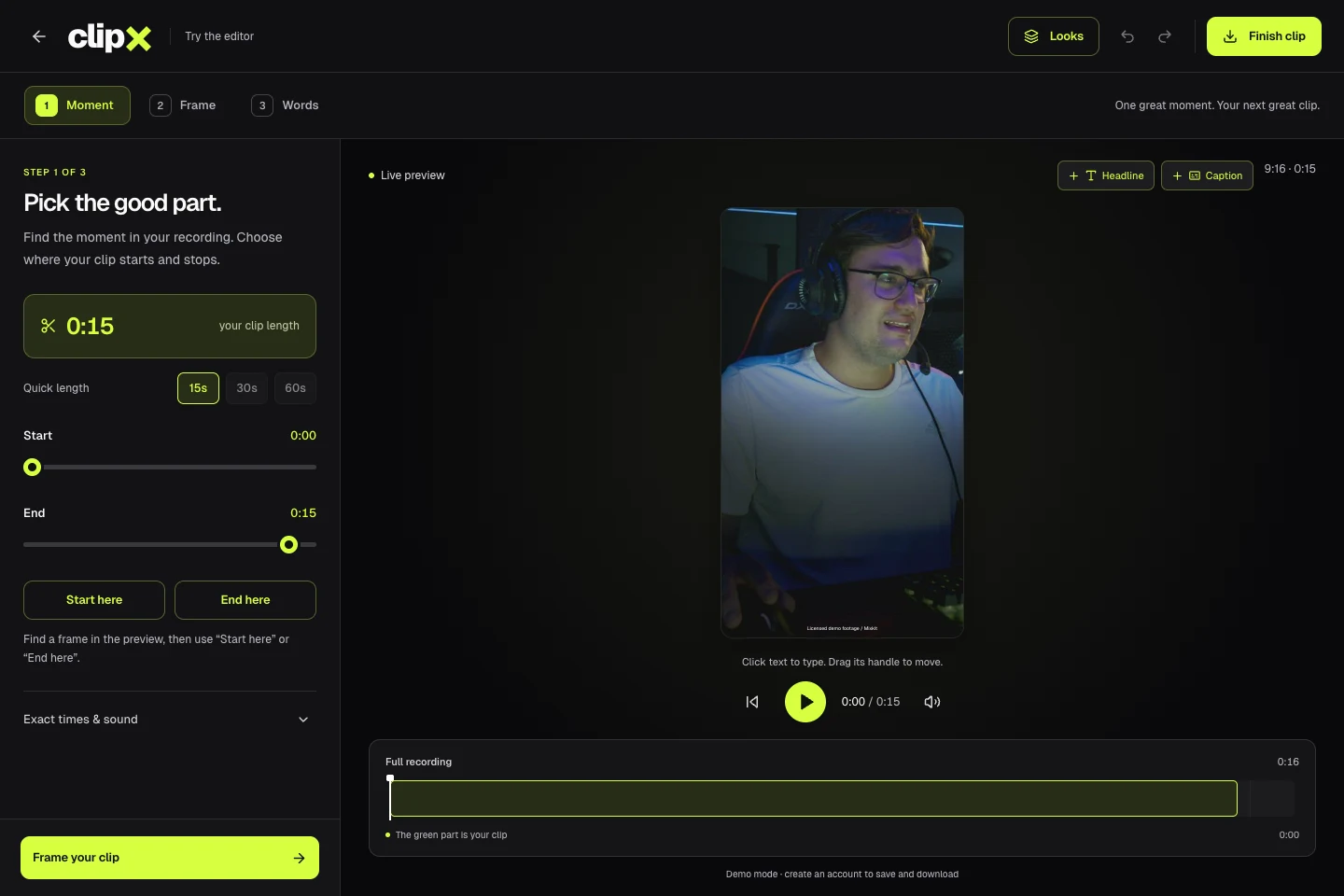
Turn long recordings into short clips, with captions and your own look.
The public sample editor, using licensed demo footage. No customer projects are shown.
Project overview
What it is.
Who it’s for
Creators, podcast teams and freelance editors turning longer recordings into clips for Shorts, Reels and TikTok.
ClipX is a browser-based video editor for creators, freelance editors and teams producing short-form content. Upload a recording, choose a moment, reframe it for the feed and add words on screen. We built the editing interface, media processing, export queue and workspaces behind it. The public demo lets people try the editor with sample footage before creating an account.
Video uploads, a recording library and precise clip trimming
Vertical, square, landscape and split-screen layouts
Timed captions and editable headlines with reusable styles
Automatic saving, draft recovery and version-aware exports
1080p MP4 downloads, batch rendering and team workspaces
Upload a recording and choose the start and end of a clip from the timeline or exact time controls. Preview the cut while adjusting its length and sound. Several clips can come from the same recording, so the source stays in the library while each edit keeps its own settings.
Make the frame fit the feed.
Switch between vertical, square, landscape and split-screen layouts. Reposition the footage inside the frame, or adjust both panels and the divider in a split view. Headlines and captions sit directly over the preview, where they can be edited, moved and resized.
Give the words their own treatment.
Timed captions and headlines have controls for fonts, colour, outlines, backgrounds, shadows and spacing. Save a look to reuse its framing and text styling on another clip. Manual text editing works on its own; automatic speech transcription requires a configured provider.
Keep the edit and the export together.
Edits save in the background, with local draft recovery and conflict handling. Export waits for the latest save, then a background worker renders the MP4 with progress visible in the clip library. Team roles control workspace access, and batch exports help with repeated delivery. Direct social publishing depends on the connected platform and its approvals.
How it works.
01
Choose a moment
Upload a recording, set the clip’s start and end, and preview the cut.
02
Frame it and add words
Choose a layout, position the footage and style the headline and timed captions.
03
Render and deliver
Save the edit, follow its export progress and download the finished MP4 for delivery or posting.